 Gilles Crofils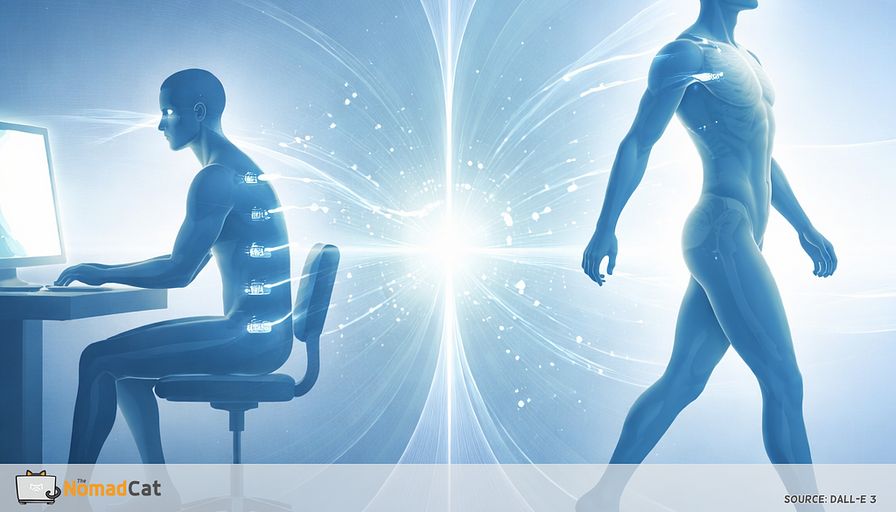
You can sit at a desk for 3 hours and feel… fine. Then the call ends, you stand up, and your body files its complaints all at once. Neck grabs. Low back does that quick “nope” on the first step. A little head rush. Or your wrist waits until you twist a pan handle to remind you it exists.
The timing is annoying, but it’s also useful. When discomfort shows up right at the handoff, it’s often less “something is broken” and more “your system just switched modes and the inputs didn’t come back online yet.” During deep focus, the brain is busy. It downranks internal notifications. The meeting ends and suddenly the error logs show up.
This article is about that moment. The desk handshake problem.
I’ve done this for years—from Beijing offices to Berlin remote days on bad chairs. Now in Lisbon it’s the same: I can work past midnight and feel fine… until I stand.
You’ll learn how to spot the difference between a normal mismatch after desk time and a signal worth taking more seriously. And you’ll get a tiny, practical way to make transitions feel smoother without adding yet another big plan to your week.
Here’s what’s covered:
- Why symptoms often hit right when you stop working, not while you’re working
- What “desk mode” quietly deletes over time (eyes, jaw and neck, breathing, feet and hips)
- A simple way to sanity-check what’s normal vs what should be checked
- A 20-second desk handshake built for real schedules and camera-on calls
No polished optimism. No fantasy of perfect posture. Just a small system tweak that makes the seams of your day less loud.
The desk handshake problem
Why it hits right when you stop
The weird part isn’t the symptom—it’s the timing.
The timing is almost funny because it’s so predictable. And it’s useful data.
When symptoms show up at the handoff, it’s often a temporary mismatch, not proof you “broke something” in the last 30 seconds. During deep focus, the brain is basically running full-screen mode and downranks internal notifications. Signals still exist, but awareness shows up later, like logs writing in the background. Then the meeting ends and the queue hits you all at once.
Research backs the basic idea that attention and mental load can change what you feel in the moment (Eccleston & Crombez, 1999).
Video calls add another layer, but it’s really two separate mechanisms. One: being observed can ramp up stress responses for some people (Dickerson & Kemeny, 2004). Two: the behavior constraint is obvious—people move less, breathe shallower, and hold a cleaner posture for the rectangle. Not a moral panic about Zoom. Just noticing the trade.
Zoom out and the real issue is that desk mode is a narrow operating state. Inputs become consistent (eyes near, hips flexed, hands gripping, torso quiet). Then real life asks for a different spec, instantly:
- Keyboard to pan handle and the forearm goes from fine motor to a loaded grip and twist
- Near screen to hallway and the eyes have to refocus fast, sometimes with dizziness
- Sitting flexion to walking and hips have to extend like nothing happened
- Still torso to seatbelt and the spine has to rotate and reach on demand
Most “desk symptoms” are really transition demands you weren’t warmed up for. Once you see desk mode as a narrow configuration, the fixes get smaller and more realistic.
What desk mode deletes
Desk mode is sameness more than wrongness
The cleanest definition is “state lock.” Not one evil posture, just low variability for hours. Ergonomics helps, but even a perfect chair can’t create variability for you. Sustained low-level muscle work and static load are the boring, repeatable part of the problem.
Here’s what desk mode commonly deletes.
Eyes stuck in near mode
Screen work is near-focus with fewer blinks. In older screen-work studies, blink rate can drop a lot during screen time (Tsubota & Nakamori, 1993). When the call ends and you look up to walk, the first seconds can feel a bit “grainy.”
The 20-20-20 guideline is simple: every 20 minutes, look 20 feet away for 20 seconds (AOA). It exists for a reason.
When eyes lock, jaw and neck often become the next hidden stabilizers.
Jaw and neck doing quiet load sharing
If someone tends to clench, desk work can recruit the face as a stabilizer without asking permission. Teeth hover close, tongue braces, shoulders creep toward the ears. Bruxism is treated as behavior (not a personality flaw) and it has a few causes, with awake clenching often linked to attention and stress (Lobbezoo et al., 2018+). Not a TMJ claim. Just a low-risk place to check for hidden tension.
Breathing getting smaller and higher
Desk concentration often comes with shallow breathing and little pauses, like the system is trying to run “silent mode.” Breathing is one of the fastest ways to shift state. You don’t need to make it complicated.
A minimalist transition input is 1 longer, quiet exhale.
Feet and hips going offline
When feet are parked and hips stay flexed, the first stair, pivot, or doorway turn can feel clumsy for a few steps even when nothing is injured. It’s the system coming back online.
Handshake failure or real error
What a normal startup mismatch looks like
A handshake failure is a short-lived startup mismatch when you switch from desk mode to real life. The system complains while inputs come back online.
Common markers:
- Fades in 30–180 seconds
- Shows up predictably after long blocks or call-heavy stretches
- Improves with small boot-up moves and microbreak-style posture changes, not aggressive stretching or cracking
A quick head rush right after standing often matches the timing of a quick blood-pressure dip right after standing (seconds, then it settles) (Wieling et al., 2007; Freeman et al., 2011). First-steps stiffness after sitting and neck tightness right after a call also fit the pattern.
The useful skill is tracking trigger and timing, not fixating on the body part.
When to stop and check
This isn’t diagnosis. It’s a reminder that desk tweaks are for common patterns and should not cover up something that looks genuinely wrong. And if you’re the type who starts googling symptoms the moment you feel dizzy: this is the part where timing matters.
- Progressive weakness or loss of coordination
- Persistent numbness or tingling
- True giving-way, locking, or inability to bear weight
- Major swelling, redness, or heat
- Severe new headache, fainting, or major vision change
- Chest pain or shortness of breath
- Bowel or bladder changes
- Major trauma
For orthostatic symptoms, one timing clue matters: if dizziness doesn’t settle within about 1–3 minutes or it worsens, treat it as not a simple handshake issue (Freeman et al., 2011).
The 20 second desk handshake
The 4 inputs that patch most transitions
This is not a posture routine or a new system to manage. It’s a quick boot-up for state changes. Discreet, fast, and easy to stop mid-way if you need to.
The practical takeaway is plain: short pauses plus a quick change in position tends to reduce end-of-block discomfort for a lot of people, without costing you performance in any noticeable way. So: keep it small and repeatable.
Same 4 tiny inputs, same order. Like a checklist.
1) Eyes
- Do 2 slow full blinks
- Then a 2-second far look (across the room, out a window)
2) Jaw and neck
- Let teeth separate
- Tongue soft, not glued to the palate
- Let shoulders drop a few millimeters (no “down and back” performance)
3) Breath and ribs
- Take 1 longer, quiet exhale
- No dramatic inhale, no counting, no looking like you’re doing a ritual on Zoom
4) Base
- Feel heel contact
- Do 2 small weight shifts left-right (or forward-back)
That’s it. You’re bringing inputs back online so the first steps are less loud.
Small add-ons that match the complaint
Constraint that keeps this sustainable: add only 1 add-on. The aim is restoring options at the seam, not “fixing your whole body.”
Pick the one that matches where the error shows up:
-
Hip pinch or low-back grab on first stand
- Use a split stance for 2 breaths, then walk. One foot slightly back, ribs over pelvis, weight centered.
-
Calls trigger neck or trap tightness
- Do a tiny chair turn and let ribs follow the head about 5 degrees. A reminder that rotation can be shared, not neck-only.
-
Wrists or elbows complain in kitchen tasks
- Forearm supported, open and close the hand 2 times, then reduce grip effort (like turning the volume knob down 10%).
Where the handshake fits in a real day
Handshake moments you already have
The easiest cues are the ones you can’t miss. Handshake moments are already everywhere: end of a call, hitting Send, closing a tab, standing up, first stairs, getting in the car, starting dinner, post-work scroll then stand.
Digital seams are clean triggers:
- email Send
- calendar leave/join
- Slack reply sent or tab closed
This maps well to planning research where “if X happens, then I do Y” tends to work better than vague intentions (Gollwitzer & Sheeran, 2006).
One warning: more reminders is not automatically better. Too many prompts become noise. A useful constraint is 1–2 cues, max, for a week.
Make it measurable but boring
Short tracking windows help because this is onboarding and debugging, not building a forever habit. Self-monitoring can help, but adherence often drops over time.
Pick exactly 1 simple metric:
- steps until you feel normal after standing
- minutes until neck/traps soften after calls
- first stair feels OK yes/no
Define success as faster rebound, not a pain-free workday. Over 7 days, the win is fewer spikes at the handoffs and quicker settling, even if long static blocks still create some baseline stiffness. If you’re the kind of person who likes dashboards and wears a chest strap to watch HRV and recovery, it’s easy to over-instrument this.
1 boring signal, 7 days, then stop tracking. You’re patching state changes, not “fixing your body.”
If desk discomfort only shows up when you stand, it’s not always a disaster. Often it’s a timing issue. Your brain was busy, the internal notifications got queued, and the “error logs” appear at the handoff. The useful shift is treating desk mode as a narrow configuration that slowly mutes key inputs like eyes, jaw and neck, breathing, and your base through feet and hips.
That’s why the 20-second desk handshake matters. It’s not a posture project. It’s a quick boot-up so transitions are less spiky, your first steps feel smoother, and you waste less energy powering through stiffness that could fade faster. And it pairs nicely with a sanity check so real red flags don’t get waved away as “just desk stuff.”
Most of the problem isn’t the desk—it’s the 10 seconds after it.


