 Gilles Crofils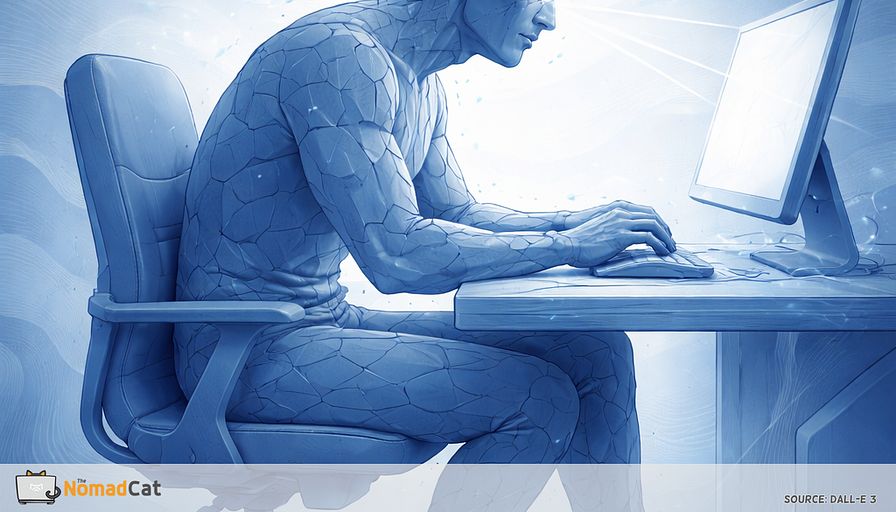
You know the moment. You sit down for “just 10 minutes” to clean up something high-precision, and 90 minutes disappear. The work looks calm on paper, but it’s the kind of calm that comes with stakes. A contract edit. A production bug. A sensitive thread. A camera-on meeting where you try to look like a normal human who definitely blinks.
Then you stand up and the invoice shows up. Neck stiff. Shoulders tight. Jaw weirdly armed. Eyes burning. Wrists doing that small complaint that feels petty until it doesn’t. And the annoying part is how it compounds: one week of deadline cycles becomes a month, and suddenly “end of day” starts leaking into “all the time.”
This article is for that situation. Not the dramatic injury story. The slow creep. The “i solve complex systems, why can’t i configure this desk body thing” frustration. For me it’s been years of it: beijing, then berlin, then lisbon, mostly remote, plus workations across europe on bad chairs and worse desks.
The idea is simple. Sometimes the problem isn’t your chair, or your posture, or your willpower. It’s a specific state where your nervous system goes into accuracy-first mode and quietly reduces background movement. Here it gets a debugging label, micro-freeze. Not a medical term. Just a useful way to group a bunch of small signals that usually get treated like 5 separate mysteries.
You’ll get a practical map for spotting micro-freeze early, plus a tiny patch you can run without breaking focus or looking awkward on camera. The core topics are straightforward:
- Why stillness is not neutral during long desk blocks
- The common signals across eyes, jaw, hands, feet, breath, and neck
- Why generic “sit straight” tips fail under deadlines
- How remote work and camera etiquette quietly remove your movement budget
- A seams-based microbreak approach that fits inside real work
- A 7-day test with 1 metric, so it stays simple and doesn’t become another project
No perfection required. No big protocol. Just small, repeatable variability that reduces the end-of-day bill.
Precision mode makes you freeze
When focus turns you into furniture
Micro-freeze shows up more in precision mode than in low-stakes browsing. Scrolling headlines, watching a video, reading casually: you tend to shift, scratch, re-seat, breathe like a mammal.
But when the work is accuracy-first, you get “helpfully” stabilized. Less movement, more control, fewer errors. You don’t notice the cost because the work is fine and your body is quiet.
If the discomfort only shows up when you stop, it can still be an all-day exposure problem, not one single bad moment.
Workload, time pressure, and how much control you feel you have can affect the physical side of desk work, not just your chair or your keyboard.
A useful debugging label for this state
Let’s call it micro-freeze. Not a medical term, just a debugging label.
It’s when your nervous system goes “accuracy first” and cuts background motion to steady you. Like phone camera stabilization. The image looks steady, but something is working in the background.
This isn’t a posture lecture. And it’s not “your chair is evil.” It’s a normal response when stakes are high and you’re concentrating.
The catch is that computer work can mean low-level muscle tension that lasts longer than you realize, especially around the neck and shoulders. And the symptoms are real, but they don’t always point to 1 clean cause.
One upstream state that explains many small complaints
Instead of treating neck, wrist, jaw, eyes, and throat as 5 separate mysteries, you can spot the upstream micro-freeze state and nudge it with something small that doesn’t break focus.
Don’t expect miracles. The goal is modest, repeatable improvement.
Stillness is not neutral
When you hold still, nothing is “wrong” in that moment. The problem is time and lack of change.
Not everyone gets the same pattern, but often the same small tensions stay “on.” The same joint angles keep getting used because they feel stable. The load doesn’t rotate.
That’s how you can feel fine while working, then your system complains when you stand up, turn your head, or finally drop your shoulders.
The missing micro-inputs that add up
When micro-freeze is running, a bunch of small things change at once.
- Eyes often blink less, or the blinks are incomplete during screen work. Later you get dryness, burning, blur, “my eyes are tired.”
- Jaw stays closer. Sometimes you’re lightly clenching. Not a diagnosis, just a common brace.
- Hands keep a partial grip on mouse and keyboard, like they might run away.
- Shoulders stay slightly lifted for “control.”
- Feet park with no pressure shifts.
- Hips and lower back stay folded and forget extension, so the first stand-up later can feel like a rusty hinge.
- Breath gets shallow and quiet.
None of these is a smoking gun. Together they remove a lot of micro-recovery that normally happens without thinking.
Why posture tips fail under real deadlines
“Sit straight” advice fails in precision mode because posture correction is an interruption pretending to be good behavior.
Switching has a cost. Attention doesn’t snap back instantly. And notifications can pull focus even when you don’t open them, which is kind of rude.
Remote work made micro-freeze easier to trigger and harder to notice. Less walking to meeting rooms. Fewer interruptions. More hours in the same chair, same angle, same screen.
Remote work removed your hidden movement budget
Office life had incidental movement baked in. You stood up to greet someone. Walked to a meeting room. Refreshed water. Hovered at someone’s desk. Switched chairs.
Remote work collapses all that into one chair, one screen angle, one mouse hand.
Then you add the second multiplier.
Camera mode trains polite statue time
Camera-on meetings create a weird rule set. Movement becomes visible. Standing up or rolling shoulders can feel like breaking etiquette.
You keep your head “framed.” You fidget less. You don’t look away too long. Like a passport photo that can talk.
This isn’t a character flaw. It’s just norms and friction.
So the fix has to be optics-safe. Something you can do without becoming “that person doing yoga during the board update.”
The micro-freeze map
Six quiet signals before the bill arrives
This is a 20 to 30 seconds audit. No setup. No standing. And yes, it’s a bit nerdy. That’s fine.
Check 1 thing: did your background motion drop to almost zero.
Good moments to check are during dense focus, right after a tense meeting, or just before you hit Send.
1) Eyes and gaze
You don’t need to measure blink rate. Just notice simple stuff.
- You are squinting at nothing
- Your last full blink was a long time ago
- You look up and refocus feels slow, like the camera didn’t want to zoom out
2) Jaw and mouth
Look for teeth hovering close, tongue pressing up, lips pursed, swallowing less.
Quick caveat because the internet loves labels. This is not a way to diagnose TMJ issues or bruxism. Keep it light and cautious.
3) Hands
Look for the half-clench. That precision grip that never fully releases.
A near-invisible test: let go of the mouse for 2 seconds. Does the hand stay armed, like it’s still holding an invisible object.
4) Feet
Feet feel decorative. No pressure shifts. One foot hooking the chair.
5) Breath
Tiny breath holds during “don’t mess this up” moments.
6) Head and neck
Head stops doing small re-centers. The neck becomes the only mover.
What to do with the audit result
Use a threshold so you stop negotiating.
If 2 to 3 signals show up at the same time, assume micro-freeze.
The goal isn’t perfect relaxation. It’s getting back a few missing background inputs.
If symptoms are sharp, progressive, or neurological, skip desk hacks and get assessed.
Restore background motion at seams
Why seams beat timers
Timer microbreaks go off mid-thought. You ignore them, or you do it and pay a restart cost—like when you’re mid-PR review or mid-contract edit and your brain has a fragile stack loaded.
A seam is a built-in boundary where your brain is already switching context a bit.
Examples:
- Send
- tab switch
- meeting join or leave
- build finished
- export done
- ticket close
- waiting for the spinner
Good UI doesn’t rely on memory. It relies on the interface. Seams are the interface of your workday.
The one seam micro fidget patch
Use 1 seam. Run 1 short sequence. Continue exactly where you left off.
- 2 slow full blinks, then 1 far gaze for 2 seconds
- Teeth apart by 1 to 2 mm, then 1 easy swallow
- 1 longer quiet exhale
- Find your heels, then a tiny left right pressure shift for 2 seconds
This is not stretching. It’s just putting back inputs screen work tends to suppress.
The constraints are the point. It must be pause-safe and camera-safe. No shoulder circles. No standing. No big neck moves. From the outside you just look like a person thinking.
Two bounded variants:
-
Variant A for on camera calls
- 2 full blinks + 2-second far gaze
- teeth apart + swallow
- 1 longer exhale
-
Variant B for solo deep work
- Variant A
- add the 2-second heel shift
Keep it under 12 seconds. Don’t “improve” it into a 12-step protocol.
7-day test
Define what a win looks like before starting, otherwise you can’t tell if it worked.
For 7 days, pick 3 seams per day and run the same patch each time.
Track 1 metric only. I’m the guy who tracks things with a decathlon sport watch, but here the constraint is 1 number.
Pick 1:
- Steps to normal after standing up
- End of day neck dump rated 0 to 10
- Eye crash time when burning or blur starts
Keep the log brutally minimal.
“Day X. seams done 0/3. metric = __. notes if weird meeting heavy bad sleep”
Failure modes that kill the patch
-
It grows
If it turns into stretching, it becomes visible, effortful, and mentally loud. If it takes more than 12 seconds, it will die. Your calendar will kill it for you. -
The seam is optional
“When i remember” is a fake seam. Pick one you can’t avoid. -
It looks awkward on camera
If it feels socially risky, it won’t survive meeting-heavy weeks. -
Stacked fixes
Keep it to 1 patch and 1 metric for 7 days. Single variable beats spaghetti debugging.
For the boring, creeping desk strain cases, a little invisible variability can still shrink the end-of-day invoice.


